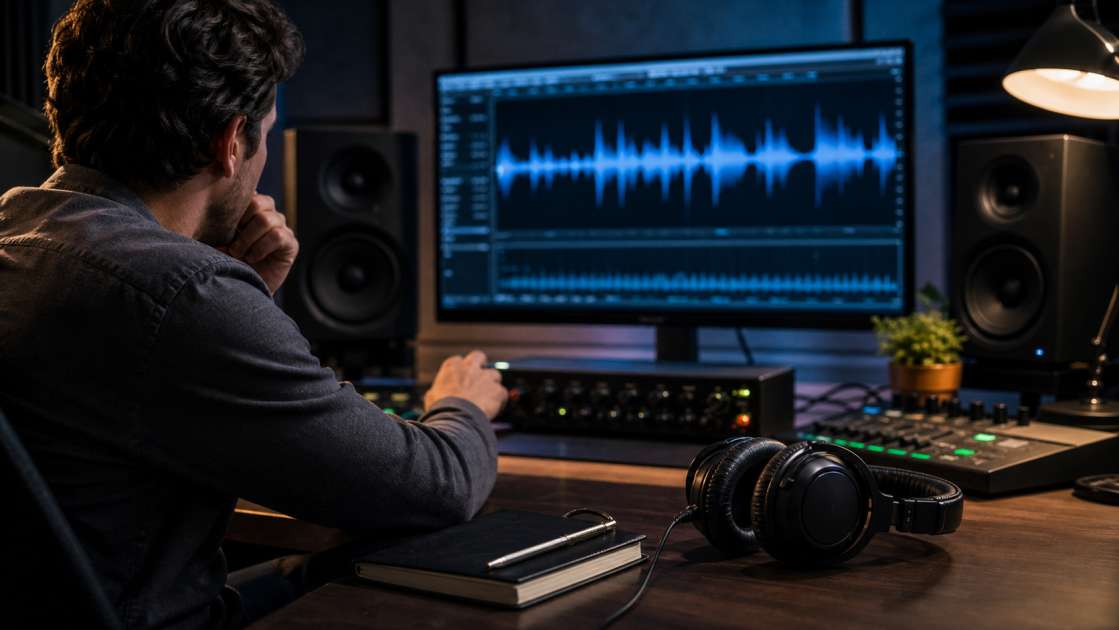
I've generated dozens of tracks with Suno, and while some outputs surprise me with their clarity and polish, others land with harsh vocals, metallic shimmer on cymbals, or a low-grade hiss that sits under everything. When you hit generate and the result sounds promising melodically but terrible sonically, you face a choice: reroll and hope for better luck, or fix what you have. This article walks through the practical steps I use to improve Suno audio quality when the initial render disappoints.
Quick answer: when Suno sound quality is bad, download the track as WAV or the highest format available, import it into a digital audio workstation, and apply targeted corrective processing. Focus on subtractive EQ to remove harshness and mud, a de-esser for sibilance, spectral repair tools for metallic artifacts, gentle compression to control dynamics, and a limiter to bring the output to a reasonable loudness target around negative fourteen LUFS. If Suno offers stem separation, download individual stems and treat vocals, drums, and instruments independently for better control.
Why Suno Audio Quality Varies So Much
Suno generates audio through a machine learning model trained on compressed music data. The model predicts waveforms sample by sample or uses latent diffusion in the frequency domain, depending on the version. This process introduces artifacts that traditional recording never produces: phantom resonances around three to five kilohertz, a kind of digital glassiness in the upper midrange, and occasional warble in sustained notes. Some generations nail the balance, others collapse into a buzzy mess. The randomness comes from the seed and prompt interpretation, but also from how the model reconstructs transients and handles overlapping frequency content.
When I compare a clean Suno output to a bad one in a spectral editor, the bad file shows dense, unmusical noise between seven and twelve kilohertz, clumps of energy that do not correspond to any instrument in the mix. Vocals often carry a metallic sheen, as if sung through a cheap effects processor. Drums can sound like they were recorded in a small, reflective box. The model sometimes pushes the master too hot, causing intersample peaks even when the waveform looks safe. Understanding these specific failure modes helps you fix Suno audio quality more systematically than applying a generic mastering chain.
Start With the Highest Resolution Source
Before you process anything, download the file in the best format Suno provides. If WAV export is available, use it. Avoid working from a low-bitrate stream rip or a format that has already been through lossy compression twice. Every generation already carries artifacts; adding another layer of MP3 or AAC encoding makes spectral repair much harder.
Load the file into your DAW and listen on reference headphones or monitors in a quiet space. Do not trust laptop speakers or earbuds for this stage. Identify the specific problems: is the vocal sibilance painful? Does the kick drum sound like it is wrapped in a blanket? Is there a persistent hiss or hum underneath everything? Write down what you hear, because trying to fix everything at once usually makes things worse. Prioritize the two or three most distracting issues and address those first.
Subtractive EQ to Remove Harshness and Mud
Most bad Suno renders benefit from cutting rather than boosting. I open a parametric equalizer and sweep a narrow, high-gain bell filter across the spectrum while the track plays, listening for the frequencies that make me wince. Common trouble zones include two hundred to three hundred hertz for boxiness, eight hundred hertz to one point two kilohertz for honky midrange, and three to five kilohertz for that metallic, artificial sheen on vocals.
When I locate a harsh band, I switch the filter to a moderate Q—around three to five—and cut by two to six decibels. The goal is not to hollow out the mix, but to remove the specific frequencies that the model overemphasized. Muddy low end often clusters around one hundred twenty to two hundred fifty hertz; a gentle two to three decibel shelf cut here can restore clarity without thinning the bass. High-pass filtering below thirty hertz removes rumble that Suno sometimes generates for no musical reason, freeing headroom and tightening the low end.
Be cautious with boosting. Adding highs to compensate for dullness usually amplifies the hiss and artifact layer. If the track needs air, try a very gentle high shelf around twelve kilohertz, no more than one to two decibels, and listen for whether you are lifting music or noise.
De-Essing and Controlling Sibilance
Suno vocals frequently arrive with exaggerated sibilance, the S and T sounds piercing through at six to eight kilohertz. A de-esser applies targeted compression only when those frequencies exceed a threshold, leaving the rest of the vocal untouched. I insert a de-esser after the EQ and set it to focus on the five to nine kilohertz range, adjusting the threshold until the harsh consonants sit naturally in the mix instead of stabbing forward.
Some de-essers offer a split-band mode where you can hear the isolated sibilance. I use that feature to confirm I am catching the problem frequencies without dulling the whole vocal. A reduction of three to six decibels during sibilant peaks usually suffices. Over-processing turns vocals lispy and strange, so aim for the minimum effective amount.
Spectral Repair for Metallic Artifacts and Noise
When harshness persists after EQ and de-essing, spectral editing tools offer surgical precision. I use software that displays a time-frequency spectrogram, allowing me to paint over specific artifacts. Metallic shimmer on cymbals often appears as horizontal bands of noise at seven, ten, and fourteen kilohertz. I select those regions and apply interpolation or attenuation, blending them into the surrounding spectrum.
Persistent hiss across the entire track responds well to a gentle noise profile capture from a silent or near-silent section, then applying broadband noise reduction at a low strength setting—ten to twenty percent. Push it too far and the audio takes on a warbling, underwater quality. The goal is to lower the noise floor by three to six decibels, making the music more prominent without introducing new artifacts. Spectral repair is time-consuming, but when a Suno generation has good bones and bad skin, this step makes the difference between usable and unusable.
Using Stems for Independent Control
If Suno provides stem separation—vocals, drums, bass, and other instruments as individual files—download all of them. Processing stems individually yields better results than trying to fix a stereo mix. I can apply a different EQ curve to the vocal, cutting harshness at four kilohertz without affecting the guitar in that same range. I can compress the drums more aggressively to control their inconsistent dynamics, while leaving the bass lightly touched.
Load each stem onto its own track in the DAW, apply the corrective processing described above, then balance the levels. Often the original Suno mix has the vocal too loud or the drums too buried. Adjusting the stem levels gives you a cleaner, more professional balance. After processing and balancing, route all stems to a mix bus and apply final glue compression and limiting there, rather than on the master of the original stereo file.
Compression, Saturation, and Transient Control
Once the worst artifacts are tamed, I address dynamics and cohesion. Gentle compression on the mix bus—ratio around two to one, slow attack, medium release, aiming for two to four decibels of gain reduction—helps glue the elements together. Suno mixes sometimes sound disjointed, with the vocal existing in a different space than the instruments. Bus compression narrows that gap.
Subtle saturation from a tape or tube emulation can add warmth and mask residual digital harshness, especially in the midrange. I keep the drive low, just enough to round off transients and add harmonic richness. Overdo it and you reintroduce distortion that resembles the original problem.
If drums sound dull or lack punch, a transient shaper can restore attack without adding volume. Increasing the attack component by ten to twenty percent brings the kick and snare forward in the mix. If drums are too clicky and harsh, reducing transients softens them. This tool is particularly useful for AI-generated percussion, which sometimes lacks the natural attack envelope of a real performance.
Mastering Loudness and Final Output
After corrective processing, the track will likely sit quieter than the original Suno render. This is fine. Bring the loudness up last, using a transparent limiter on the master bus. I target around negative fourteen LUFS integrated for streaming platforms, which provides competitive loudness without crushing dynamics. Set the limiter ceiling to negative one decibel true peak to avoid intersample clipping during format conversion.
Listen to the limited output at the same volume as the unprocessed original. If your processing made the track quieter overall or changed its tonal balance in a way that feels wrong, revisit the EQ and compression stages. Mastering loudness will not fix a bad mix; it only reveals what you have. If the track sounds clear, balanced, and free of the original harshness at negative fourteen LUFS, you have successfully improved Suno audio quality.
Export the final file as WAV, sixteen-bit forty-four point one kilohertz for distribution, or twenty-four-bit if you plan further edits. Keep the processed project file so you can return and tweak if needed after a break, when your ears are fresh.
When Processing Cannot Save a Bad Generation
Honesty matters here: some Suno outputs are beyond rescue. If the model baked distortion into the fundamental vocal texture, or if the drums are so mangled that no amount of EQ restores tone, rerolling the generation will save you hours of frustration. I give myself a twenty-minute rule. If I have not made meaningful progress in that time, I discard the file and try a different prompt, seed, or style tag.
The table below summarizes common Suno audio problems and the primary tools I use to address them. This is not an exhaustive list, but it covers the issues I encounter most often.
| Problem | Primary Fix | Tool Type |
| Harsh, metallic vocals | Cut three to five kilohertz, de-esser, spectral repair | EQ, de-esser, spectral editor |
| Muddy low end | High-pass below thirty hertz, cut one hundred twenty to two hundred fifty hertz | EQ |
| Persistent hiss or buzz | Broadband noise reduction, spectral repair | Noise reduction plugin, spectral editor |
| Clipping or distortion | Lower output level, check for intersample peaks | Limiter with true peak metering |
| Unbalanced instrument levels | Use stems, adjust individual track levels | DAW mixer |
| Dull or thin sound | Gentle saturation, careful high shelf boost | Saturation plugin, EQ |
Processing AI-generated music is a different discipline than mixing a recorded session. You are not shaping a performance; you are repairing a render. The artifacts are predictable but not always fixable. When you improve Suno audio quality successfully, the result can compete with mid-tier production. When the generation is too flawed, the best move is to start over. Either way, these techniques give you the control to make an informed decision and salvage the tracks worth saving.